by
by This product search functionality shows hints based on the first two letters of the attributes. This functionality also involve adding custom endpoint to handle search request and returning the match attributes as hints.
- First, Create a custom endpoint for search. here’s the code:
function register_sku_search_endpoint() {
    add_rewrite_rule('^sku-search/([^/]*)/?','index.php?sku_search=$matches[1]','top');
}
add_action('init', 'register_sku_search_endpoint');

function add_sku_search_query_var($vars) {
    $vars[] = 'sku_search';
    return $vars;
}
add_filter('query_vars', 'add_sku_search_query_var');

function handle_sku_search_request() {
    global $wpdb;

    $sku_search = get_query_var('sku_search');
    if ($sku_search) {
        $like = $wpdb->esc_like($sku_search) . '%';
        $query = $wpdb->prepare("SELECT meta_value FROM {$wpdb->postmeta} WHERE meta_key='_sku' AND meta_value LIKE %s", $like);
        $results = $wpdb->get_col($query);

        wp_send_json($results);
        exit;
    }
}
add_action('template_redirect', 'handle_sku_search_request');2. Enqueue Javascript for Autocomplete
function enqueue_sku_search_script() {
    wp_enqueue_script('sku-search', get_template_directory_uri() . '/../John-Yeung/assets/js/itemno-search.js', array('jquery'), null, true);
     wp_localize_script('sku-search', 'skuSearchParams', array(
        'url' => home_url('/sku-search/'),
        'searchUrl' => home_url('/?s=')
    ));
}
add_action('wp_enqueue_scripts', 'enqueue_sku_search_script');
3. Create a Javascript file
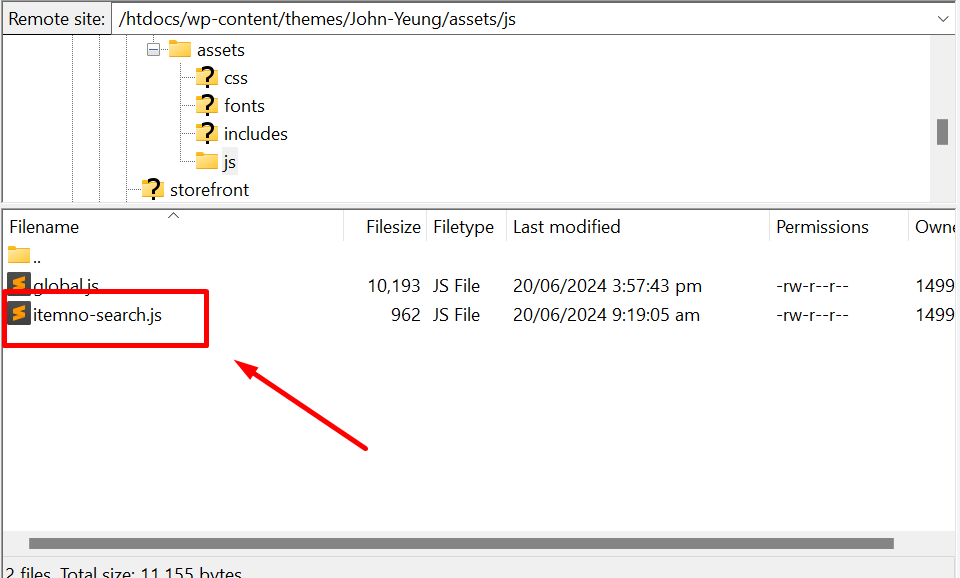
here’s the code:
jQuery(document).ready(function($) {
    $('#sku-search-input').on('input', function() {
        var query = $(this).val();
        if (query.length >= 2) {
            $.ajax({
                url: skuSearchParams.url + query,
                type: 'GET',
                success: function(data) {
                    var hints = data.map(function(item) {
                        return '<li>' + item + '</li>';
                    }).join('');
                    $('#sku-search-hints').html(hints).show();
                }
            });
        } else {
            $('#sku-search-hints').hide();
        }
    });

    $(document).on('click', '#sku-search-hints li', function() {
        var selectedSku = $(this).text();
        $('#sku-search-input').val(selectedSku);
        $('#sku-search-hints').hide();
        window.location.href = skuSearchParams.searchUrl + selectedSku; // Redirect to search results page
    });
});
4. Add the Search Input on the template
<input type="text" id="sku-search-input" placeholder=" Search" style=" padding: 10px !important;background-color: #F4F2F2;width: 227px;font-family: 'Helvetica', san-serif, FontAwesome !important;font-size: 18px;">
<ul id="sku-search-hints" style="display:none; position: absolute; background-color: white; border: 1px solid #ccc; list-style: none; padding: 0; margin: 0; width: 200px; z-index: 9;padding: 10px;width: 100%;"></ul>5. Modify the Search Query to Include the attribute
function modify_search_query($query) {
    if (!is_admin() && $query->is_main_query() && $query->is_search()) {
        $sku = $query->query_vars['s'];

        $meta_query = array(
            array(
                'key'     => '_sku',
                'value'   => $sku,
                'compare' => 'LIKE',
            ),
        );

        $query->set('meta_query', $meta_query);

        add_filter('posts_search', function($search, $wp_query) {
            global $wpdb;

            if (empty($search)) {
                return $search;
            }

            $search_term = $wp_query->query_vars['s'];
            $search = " AND EXISTS (
                SELECT 1
                FROM {$wpdb->postmeta}
                WHERE {$wpdb->postmeta}.post_id = {$wpdb->posts}.ID
                AND {$wpdb->postmeta}.meta_key = '_sku'
                AND {$wpdb->postmeta}.meta_value LIKE '%{$wpdb->esc_like($search_term)}%'
            )";
            return $search;
        }, 10, 2);
    }
}
add_action('pre_get_posts', 'modify_search_query');
here is the results on search