 by
by For the projects that have already been released and need to be updated. We need to create a staging site so that the bug/fixing issues may not be displayed on the live site. Here are the steps on how to do it.
1. On wordpress Dashboard, click the “Settings” and then click the “Hosting Configuration” on the left sidebar menu. And then, scroll down and click the “Add staging site” button.
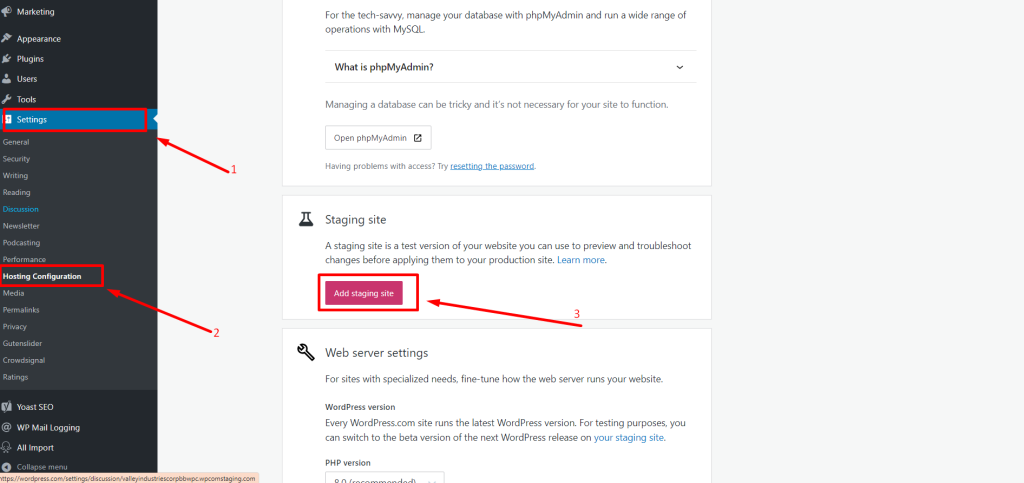
2. After adding it will add a link to the staging site.
Note: Do not click the “Manage staging site” button. Click the given link only.