 by
by First, Need to setup email notifications from settings. On WordPress Dashboard, go to “Woocommerce > Settings > Emails ” and edit the email address shown on screenshot below.
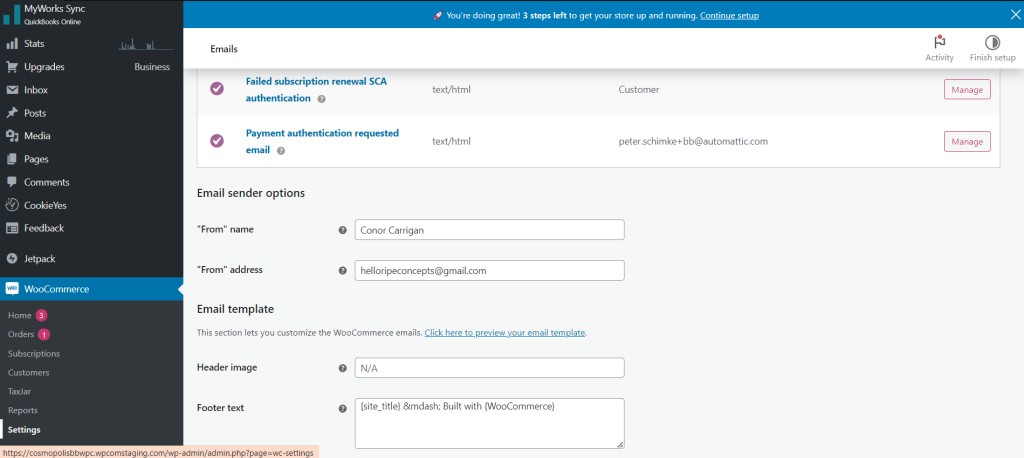
Second, Please make sure that there is no smtp plugin install because it causes conflict that avoiding the customer from receiving emails.
Note : Nagarro email account is not working on this.