 by
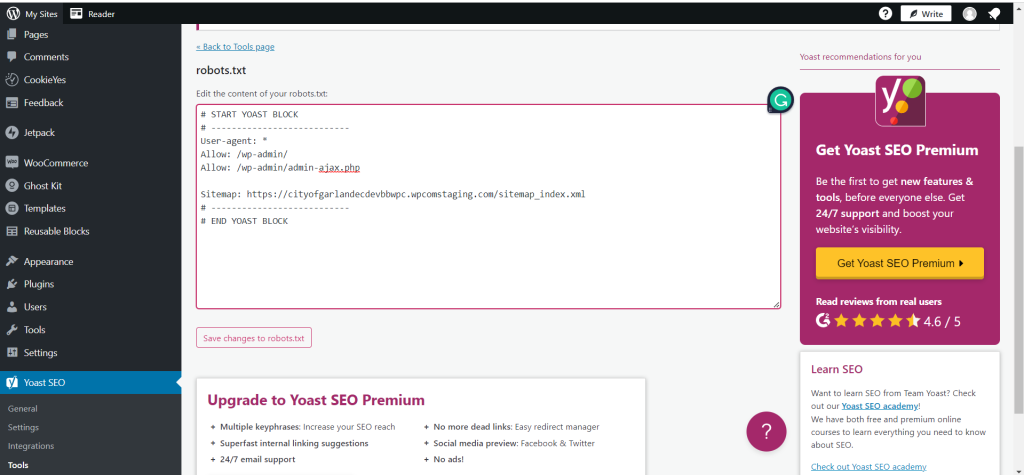
by 1. Go to Yoast Seo > Tools > File Editor. And then change the text (showing on screenshot below).
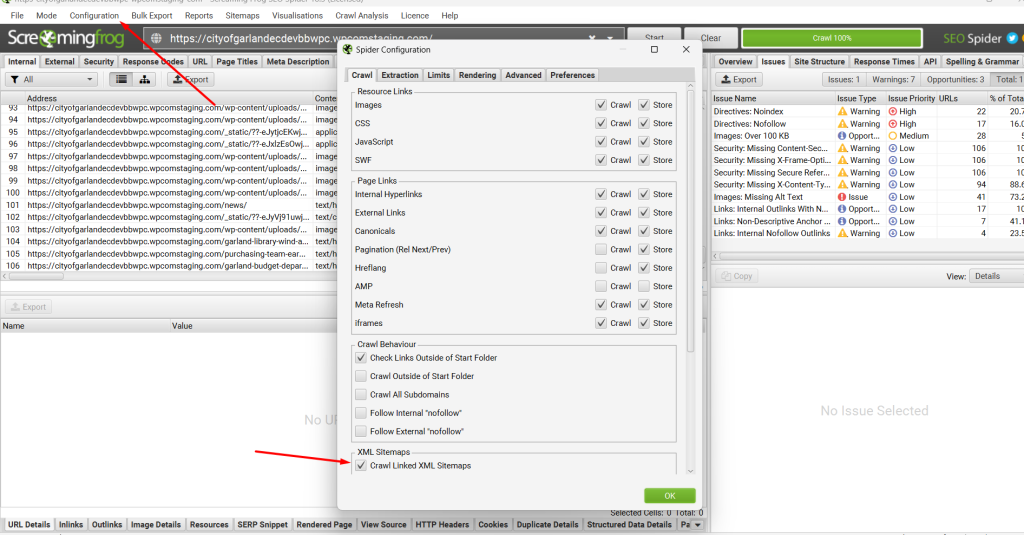
2. Open Screaming frog, Go to Configuration > Spider, and then check the “Crawl Linked XML Sitemaps (Showing on screenshot below).
1. Go to Yoast Seo > Tools > File Editor. And then change the text (showing on screenshot below).
2. Open Screaming frog, Go to Configuration > Spider, and then check the “Crawl Linked XML Sitemaps (Showing on screenshot below).