 by
by In this tutorial, i will teach you how to add RSS feeds.
Requirements
- Website source link
- lazy block plugin
- create a new block on lazy block
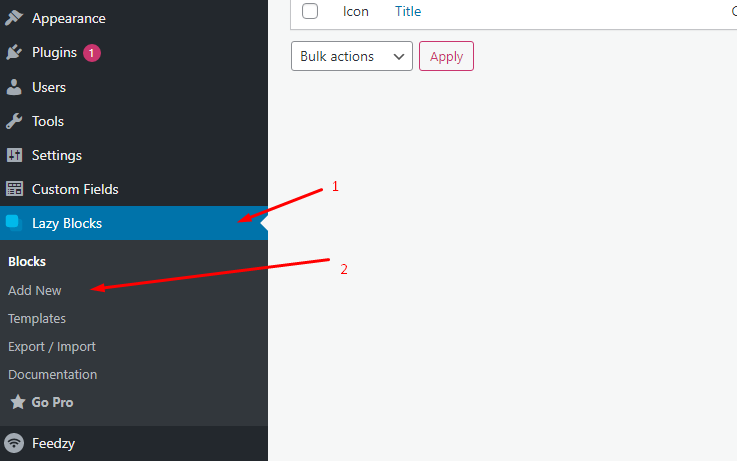
- Add the title of the block and the 3 custom fields.
note : it is important to follow the slug/name the 3 custom fields. Follow the slug/name below.
- url-feed
- number-of-column
- number-of-post
- Click the PHP on your code section of your lazy block then copy and paste the code below :
<?php
$url = esc_url( $attributes['url-feed'] );
$rss = simplexml_load_file($url);
$ns=$rss->getNamespaces(true);
$cnt = 0;
$column = $attributes['number-of-column'];
$num_of_post = $attributes['number-of-post'];
?>

<div class="rss-feed-container">
	<?php
		foreach($rss->channel->item as $val){
			$media = $val->children($ns['media'])->content->attributes()->url->__toString();
			?>
			<div class="rss-feed-content">
				<img src="<?php echo $media; ?>" width="100%" height="auto">
				<h3 class="rss-title"><?php echo $val->title; ?></h3>
				<p class="rss-description"><?php echo $val->description; ?></p>
			</div>
			<?php

		  	$cnt++;
		    if ($cnt==$num_of_post) {
		        break;
		    }
		}
	?>
</div>

<style type="text/css">

	.rss-feed-container{
		display: grid;
		grid-template-columns: repeat(<?php echo $column; ?>, 1fr);
		gap:  20px;
	}

	.rss-feed-content img{
		margin-bottom: 10px;
	}
</style>- Click save and you now have a block to display your RSS feed.
We will now test the block that we just created. follow the steps below.
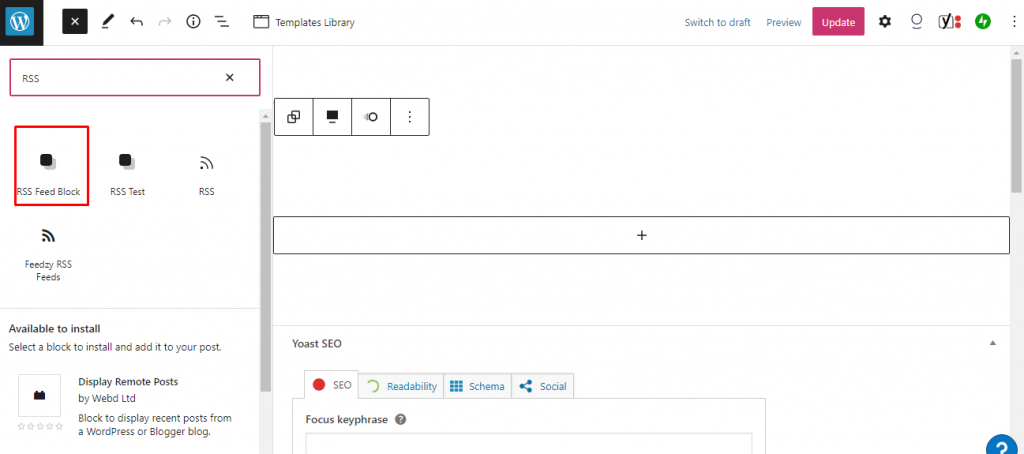
- Create a new page and find the block that you created. In this example, i named the block with “RSS Feed Block”
- In your RSS Feed Block, add the data on your 3 custom field.
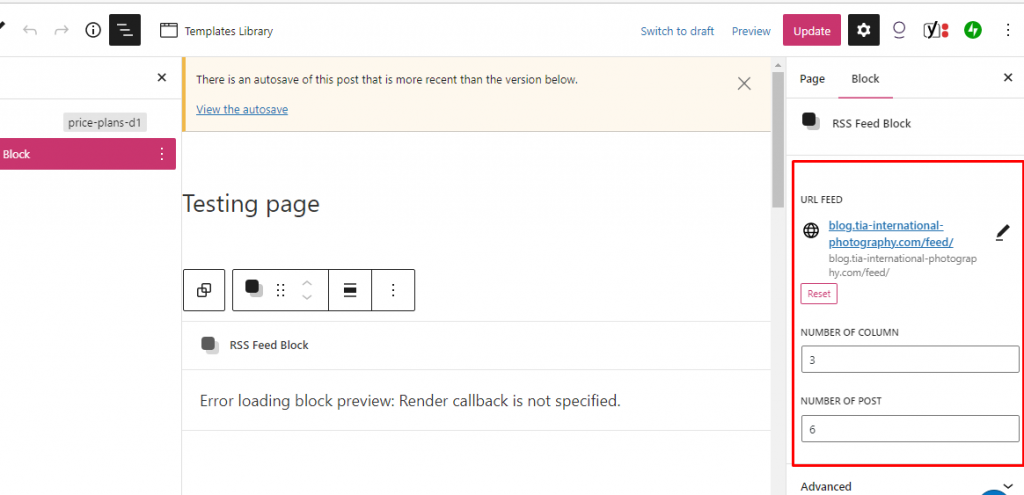
note : In order to get the URL feed from the source wordpress website, just go to this link : https://wordpress.com/support/feeds/
- If your done populating the 3 fields then click save and preview your page. (see the preview below).

That’s how you add RSS feeds on your website. If you have any question just refer to the author of this tutorial.