by
by Requirements :
- Lazy Block Plugin
- Jquery Library
- Slick JS Library (enqueue both css and js)
Steps :
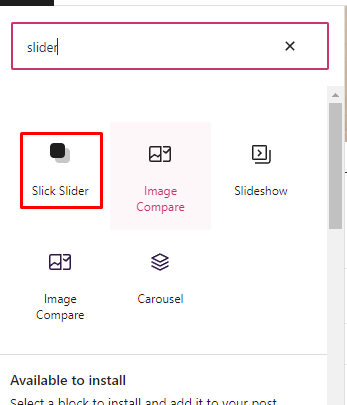
- Install the plugin and enqueue the libraries mentioned above
- Go to lazy and create a new block
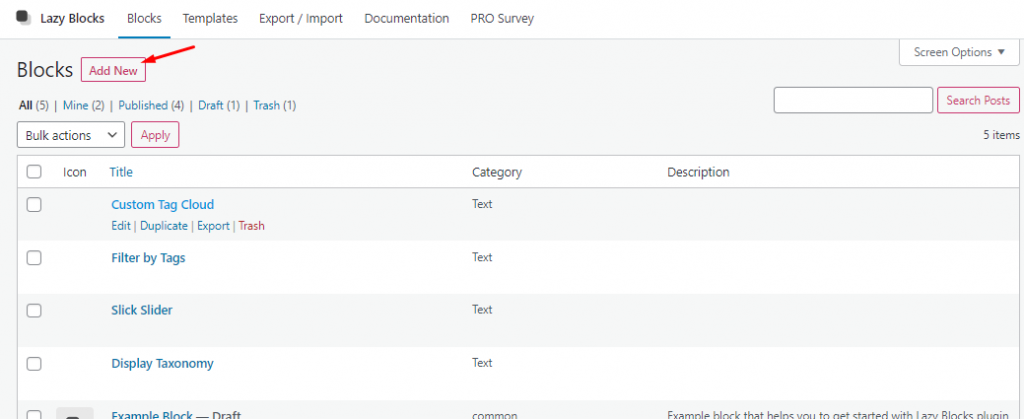
- On your lazy block, add this fields
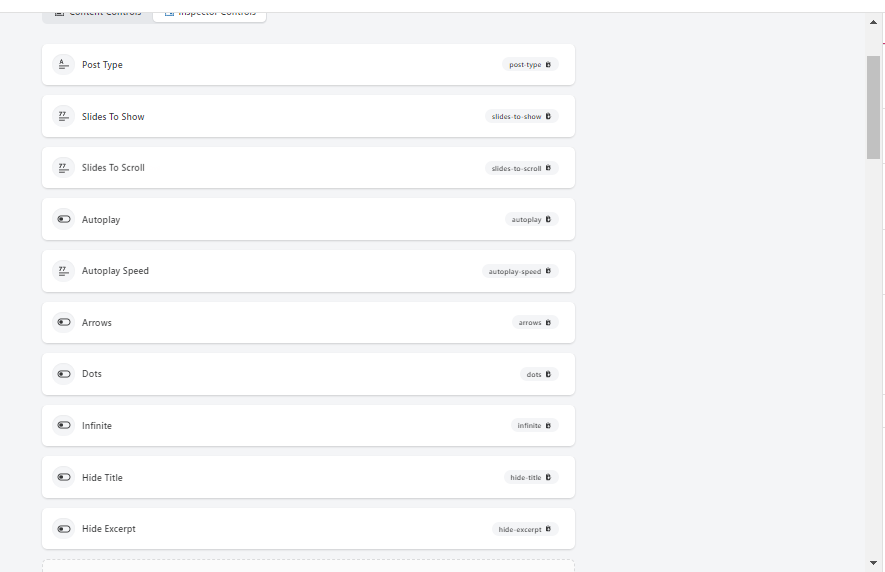
This are the types of the field use above. kindly follow it.
- Post Type – Text
- Slides To Show – Number
- slides to scroll – number
- autoplay – toggle
- autoplay speed – number
- arrows – toggle
- dots – toggle
- infinite – toggle
- hide title – toggle
- hide excerpt – toggle
- In the code section add this following code
<?php

// Lazy Block Variables
$post_type = !empty($attributes['post-type']) ? $attributes['post-type'] : 'post';
$slidestoshow = !empty($attributes['slides-to-show']) ? $attributes['slides-to-show'] : '3';
$slidestoscroll = !empty($attributes['slides-to-scroll']) ? $attributes['slides-to-scroll'] : '1';
$autoplayspeed = !empty($attributes['autoplay-speed']) ? $attributes['autoplay-speed'] : '2000';
$autoplay = $attributes['autoplay'] === true ? true : false;
$dots = $attributes['dots'] === true ? true : false;
$arrows = $attributes['arrows'] === true ? true : false;
$infinite = $attributes['infinite'] === true ? true : false;
$hidetitle = $attributes['hide-title'] === true ? 'hide-title' : '';
$hideexcerpt = $attributes['hide-excerpt'] === true ? 'hide-excerpt' : '';


// The Query
$args = array('post_type' => $post_type);
$the_query = new WP_Query( $args );
$testvar = "Test Var Here";

// The Loop
if ( $the_query->have_posts() ) {
	?>
		<div class="wp-slick-container">
			<?php
			while ( $the_query->have_posts() ) {
				$the_query->the_post();
				$feat_img = get_the_post_thumbnail_url(get_the_ID());
				?>
					<div class="wp-slick-item-content">
						<div class="wp-slick-img"><img src="<?php echo $feat_img; ?>" width="100%" height="300px"></div>
						<h2 class="wp-slick-title <?php echo $hidetitle; ?>"><?php echo get_the_title(); ?></h2>
						<p class="wp-slick-excerpt <?php echo $hideexcerpt; ?>"><?php echo get_the_excerpt(); ?></p>
					</div>
				<?php
			}
			?>
		</div>
	<?php
} else {
	?>
		<h1 class="no-post-av">no post found!</h1>
	<?php
}
/* Restore original Post Data */
wp_reset_postdata();

?>

<script>

(function($){

    function display_postype_slick(){
	 	var vatrate = '<?php echo($testvar); ?>';
	 	var slidestoshow = parseInt('<?php echo($slidestoshow);?>');
	 	var slidestoscroll = parseInt('<?php echo($slidestoscroll);?>');
	 	var autoplayspeed = parseInt('<?php echo($autoplayspeed);?>');
	 	var autoplay = Boolean('<?php echo($autoplay);?>');
	 	var dots = Boolean('<?php echo($dots);?>');
	 	var arrows = Boolean('<?php echo($arrows);?>');
	 	var infinite = Boolean('<?php echo($infinite);?>');
	 	console.log("autoplay: "+autoplay);
	 	console.log("dots: "+dots);
	 	console.log("arrows: "+arrows);
	 	console.log("infinite: "+infinite);

      console.log("Hi, I'm Slick! "+vatrate);
      $('.wp-slick-container').slick({
        slidesToShow: slidestoshow,
        slidesToScroll: slidestoscroll,
        autoplay: autoplay,
        autoplaySpeed: autoplayspeed,
        arrows: arrows,
        dots: dots,
        infinite: infinite,
        responsive: [
          {
            breakpoint: 768,
            settings: {
              slidesToShow: 2,
              slidesToScroll: 1
            }
          },
          {
            breakpoint: 600,
            settings: {
              slidesToShow: 1,
              slidesToScroll: 1
            }
          }
        ]
      });
    }

    // Function Call
    $(document).ready(function () {
        display_postype_slick();
    });

    $(window).scroll(function () {

    });
})(jQuery);

</script>

<style type="text/css">
	.wp-slick-item-content .wp-slick-img{
		margin-bottom: 20px;
	}

	.wp-slick-item-content .wp-slick-img img{
	    object-fit: cover;
	}

	  /* the slides */
	  .wp-slick-item-content.slick-slide  {
	      margin: 0 20px;
	  }

	  /* the parent */
	  .wp-slick-container .slick-track {
	      margin: 0 -20px;
	  }

	  .wp-block-lazyblock-slick-slider .slick-prev:before, .wp-block-lazyblock-slick-slider .slick-next:before{
	  	color: #000;
	  }

	  .wp-block-lazyblock-slick-slider .hide-title,
	  .wp-block-lazyblock-slick-slider .hide-excerpt{
	  	display: none;
	  }
</style>- After this, then click save/update
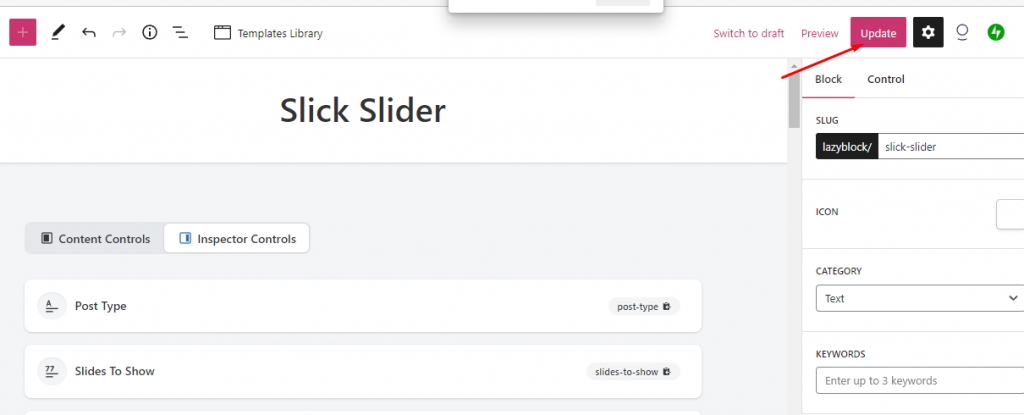
You now have the lazyblock block in your website (see screenshot below). Check the sample on this link : https://ripeconceptstesting.wpcomstaging.com/test-inner-pages/